
Turn a Canva or Google Docs file into a booklet
Design in the tool you like. Then download a PDF, and Foldio turns it into a booklet you can print at home.
The short answer
To print a booklet from Canva or Google Docs, keep your pages in reading order, download a PDF and add it to Foldio. Choose Booklet or magazine, and Foldio arranges the pages so they fold correctly. Then print double-sided, fold and staple.
Make your booklet, freeWhat you need
- Your Canva design or Google Doc
- A printer
- A4 or US Letter paper
- A long-reach stapler
Step by step
Keep single pages in reading order
Design page 1, page 2, page 3 and so on. Don’t design two-page spreads or try to arrange the print order yourself, because Foldio does that.
An 8-page booklet on two sheets. The numbers look jumbled until the sheets are folded together. Use the right page size
For booklets on A4 paper, A5 pages are the best fit. On US Letter, use half letter.
Fold A4 once for A5 pages, or cut it smaller for A6 pocket pages. Download a PDF
In Canva, open Share, then Download, and choose a PDF. In Google Docs, go to File, then Download, and choose PDF Document.
Your file goes in as a PDF. Foldio puts the pages in order, and you print and fold. Add it to Foldio
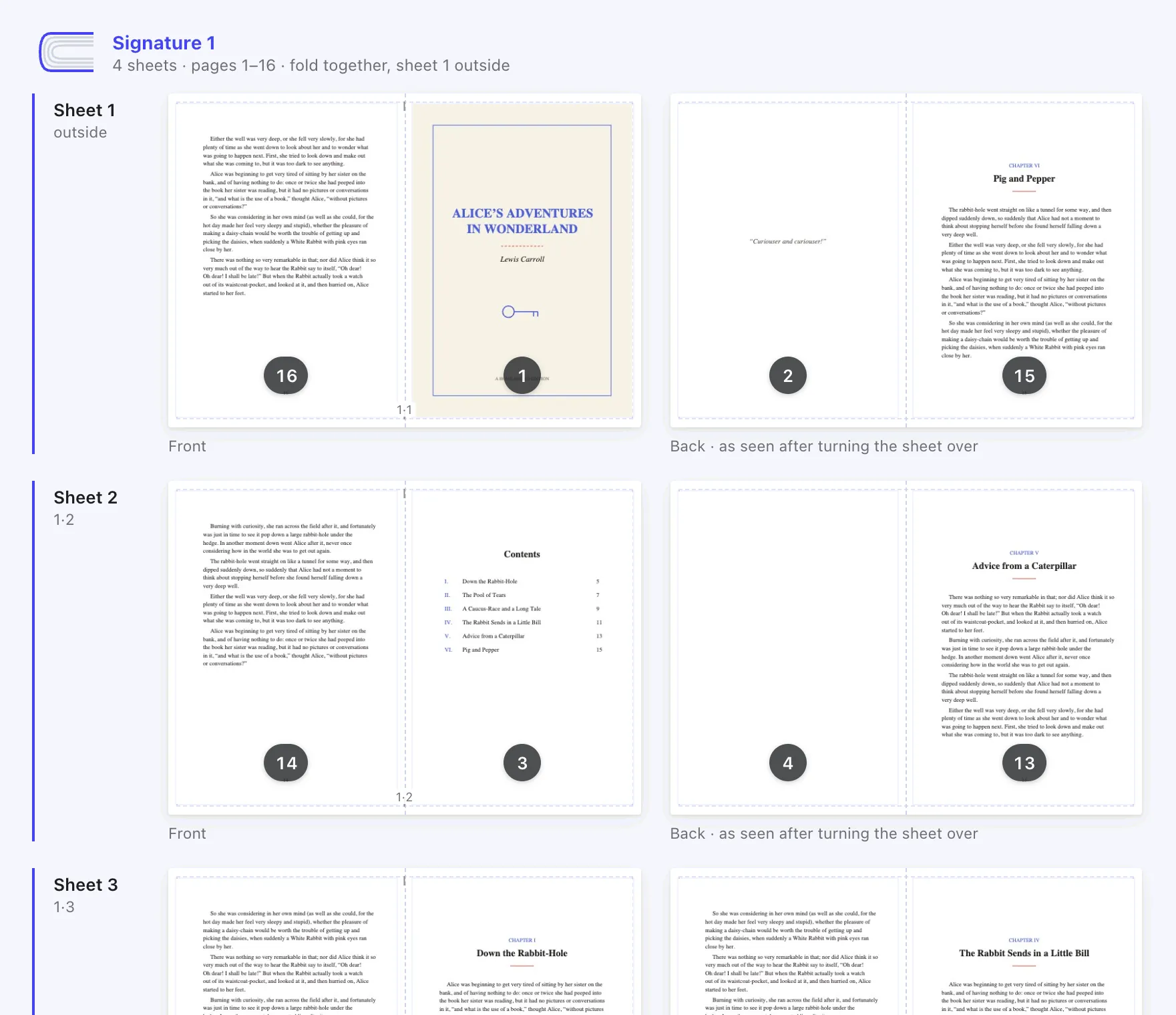
Select New book, add your PDF and choose Booklet or magazine. Foldio adds blank pages if your count doesn’t divide by four.
Print, fold and staple
Print double-sided, flip on short edge, at 100%. Then fold the stack in half and staple along the fold.
Keep the sheets in order, crease the fold firmly, then staple along it.
If something goes wrong
- Pages are in plain reading order when printed
- That’s the original download. Print the new file from Foldio, not the one from Canva or Docs.
- Designs get cut off at the edges
- Keep text away from the page edges. Most home printers can’t print right up to the edge of the paper.
- There are too few pages
- Foldio adds blanks to reach a multiple of four, and you can choose where they go.
Questions
People also ask.
How do I make a booklet in Canva?
Design your pages in order in a booklet template or custom size, download a PDF, then arrange it in Foldio for home printing.
How do I print a booklet from Canva at home?
Download a PDF from Canva, add it to Foldio and choose Booklet or magazine. Then print double-sided on the short edge at 100%.
How do I make a booklet in Google Docs?
Write your pages as normal, download a PDF and arrange it in Foldio. You don’t need a Google Docs booklet template.
How do I print a booklet in Google Docs?
Use File, then Download, then PDF Document. Add the PDF to Foldio, which prepares the booklet layout for printing.
What page size should a Canva booklet be?
Use A5 to print on A4 paper, or half letter to print on US Letter paper. Canva’s own print service says its booklets must have a multiple of four pages.
Can I make a mini zine in Canva?
Yes. Design 8 pages, download a PDF, and choose Mini zine from one sheet in Foldio.
Ready to print yours?
Foldio is free to start, with no sign-up, and your files stay on your computer.