
How to print a booklet on a Mac
There’s nothing to install. Foldio runs in Chrome or Edge on your Mac, and works with any printer.
The short answer
To print a booklet on a Mac, open Foldio in Chrome or Edge, add your PDF and choose Booklet or magazine. In the print window, turn on two-sided printing on the short edge, at 100%. macOS also has a Booklet option, but it only appears if your printer can print on both sides.
Make your booklet, freeWhat you need
- A Mac with Chrome or Edge
- Your PDF
- A printer
- A long-reach stapler
Step by step
Open Foldio in Chrome or Edge
Foldio is made for desktop Chrome and Edge. Go to foldio.pro/app, with no download or account needed.
Your file goes in as a PDF. Foldio puts the pages in order, and you print and fold. Add your PDF
Select New book and add your file. From Pages, use File, then Export To, then PDF first.
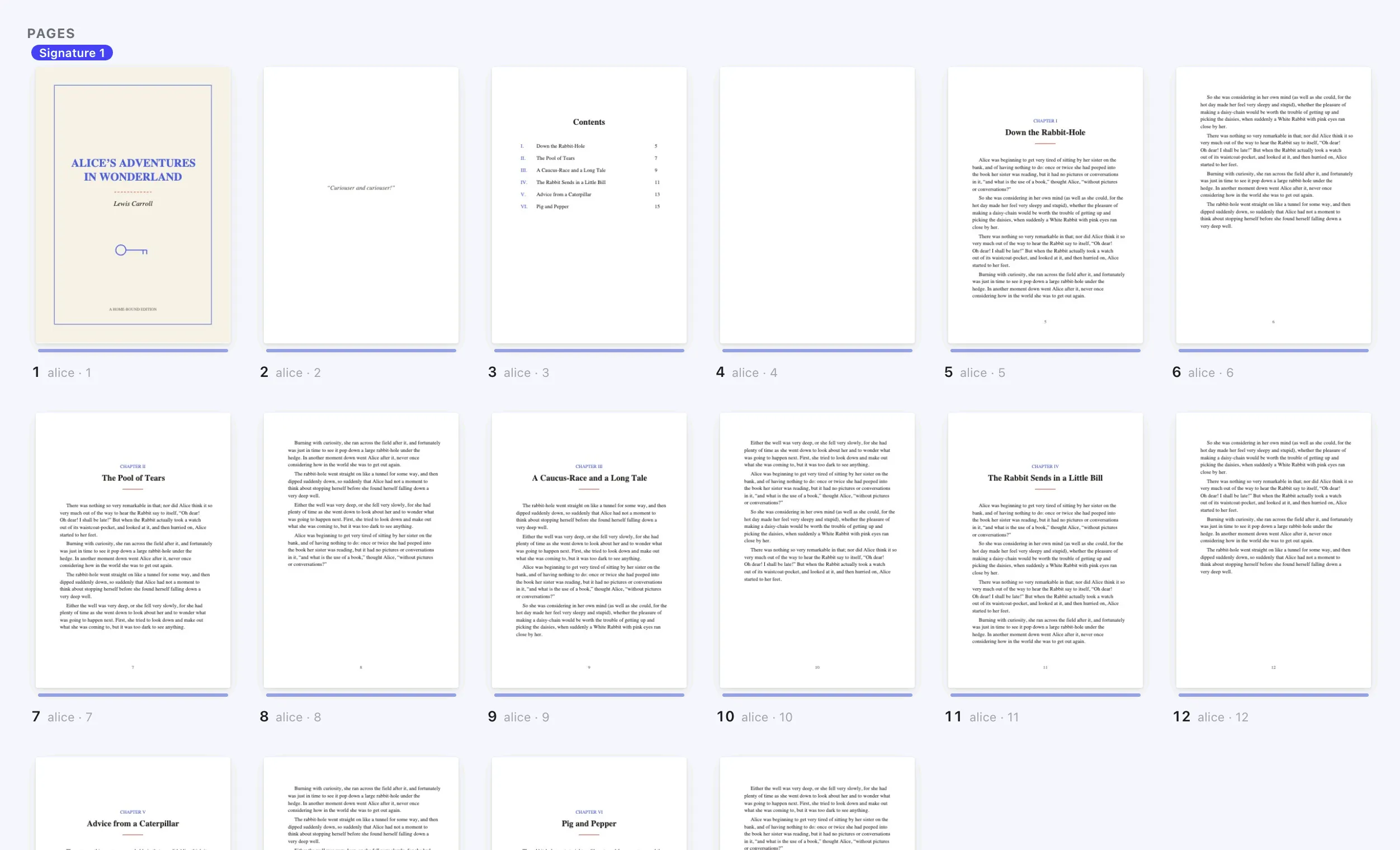
Choose Booklet or magazine
Foldio puts the pages in booklet order and shows both sides of every sheet.
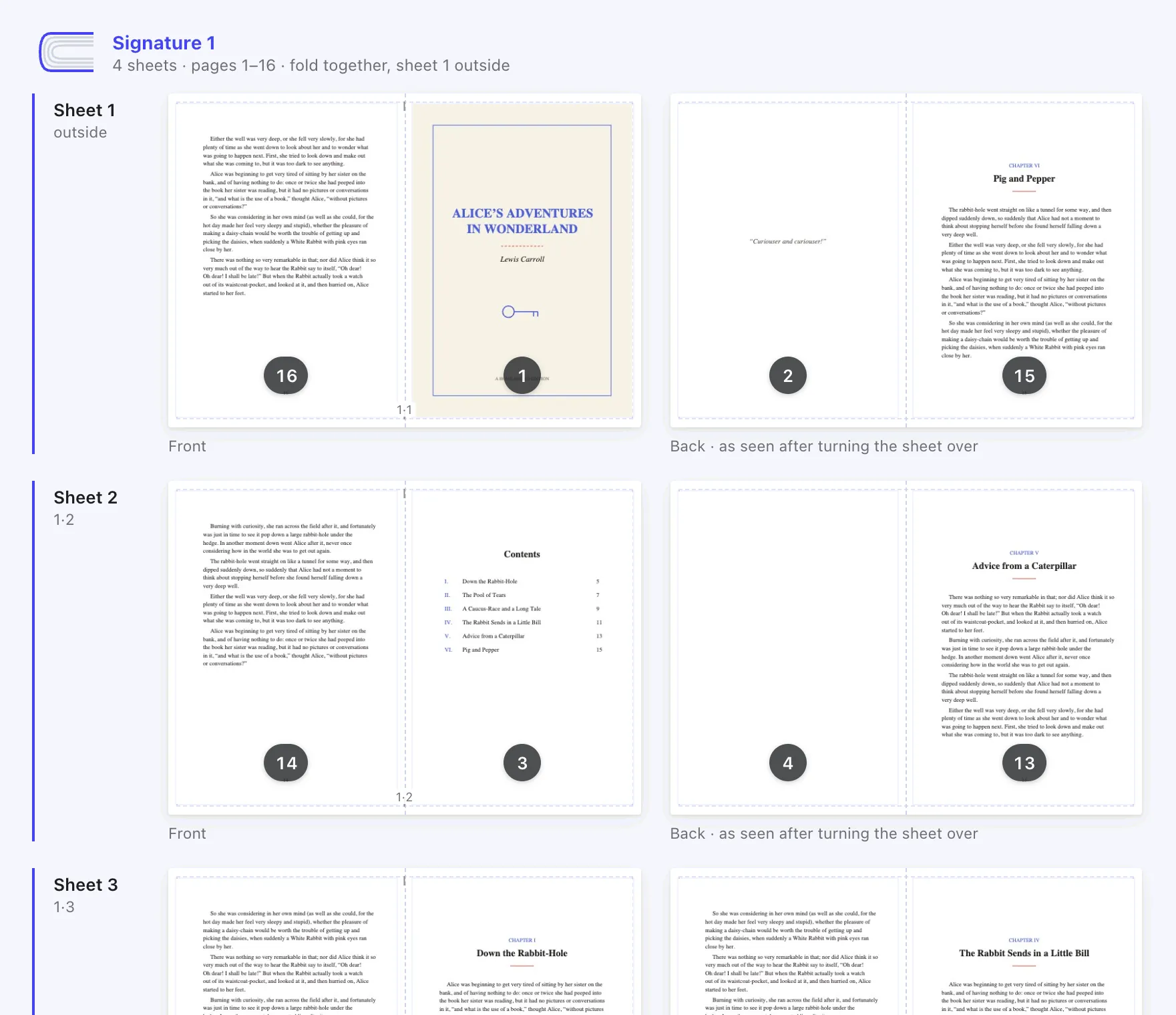
Print with these settings
Select Open to print. Turn on two-sided printing with short-edge binding, and set the scale to 100%. Leave the Mac’s own Booklet option off, because Foldio’s file is already arranged.
Foldio’s file is already in booklet order, so leave the Mac’s own Booklet option off. No two-sided printer?
Choose “My printer only prints one side at a time”. Foldio prints the fronts, then the backs.
With a one-sided printer, you print in two rounds. Foldio tells you how your pile goes back in. Fold and staple
Fold the stack in half, crease it firmly and staple along the fold.
Keep the sheets in order, crease the fold firmly, then staple along it.
If something goes wrong
- Pages come out jumbled
- The Mac’s Booklet option is probably on as well. Turn it off, because Foldio’s file only needs printing once in booklet order.
- There’s no Booklet option on the Mac
- Apple shows it only for printers that can print both sides. You don’t need it with Foldio.
- The print tab doesn’t open
- If your browser blocks the new tab, Foldio downloads the file instead. Open it in Preview and print from there.
Questions
People also ask.
How do I print a PDF as a booklet on a Mac?
Add the PDF to Foldio in Chrome or Edge, choose Booklet or magazine and print double-sided on the short edge at 100%.
Why don’t I see the Booklet option on my Mac?
Apple says it appears only if your printer can print two-sided pages. Foldio works either way.
Can I print a booklet from Preview on a Mac?
Yes. Download the file from Foldio, open it in Preview, and print with Short-Edge binding at 100%. Keep Booklet off.
How do I make a booklet in Pages for Mac?
Write it in Pages, use File, then Export To, then PDF, and arrange the PDF in Foldio.
Is there a free booklet maker or imposition software for Mac?
Yes. Foldio runs in the browser, so there’s nothing to download. Its Free plan includes booklets and folded books.
Does Foldio work in Safari?
Foldio is made for desktop Chrome and Edge, so use one of those on your Mac.
Ready to print yours?
Foldio is free to start, with no sign-up, and your files stay on your computer.