
How to make a booklet from a Word document
Keep writing in Word. When you’re done, save a PDF and let Foldio handle the booklet layout, page order and printing steps.
The short answer
To make a booklet from a Word document, save it as a PDF, add the PDF to Foldio and choose Booklet or magazine. Foldio sets the page order, then you print double-sided, fold and staple. Word also has its own Book fold setting, but it changes your document’s layout.
Make your booklet, freeWhat you need
- Your Word document
- A printer
- A4 or US Letter paper
- A long-reach stapler
Step by step
Set the page size in Word
For an A5 booklet on A4 paper, set your document to A5 under Layout, then Size. Pages at A4 still work, but they’re scaled down to fit, so the text gets smaller.
Save it as a PDF
In Word, go to File, then Save As, and choose PDF. This keeps your fonts and layout exactly as they are.
Your file goes in as a PDF. Foldio puts the pages in order, and you print and fold. Add the PDF to Foldio
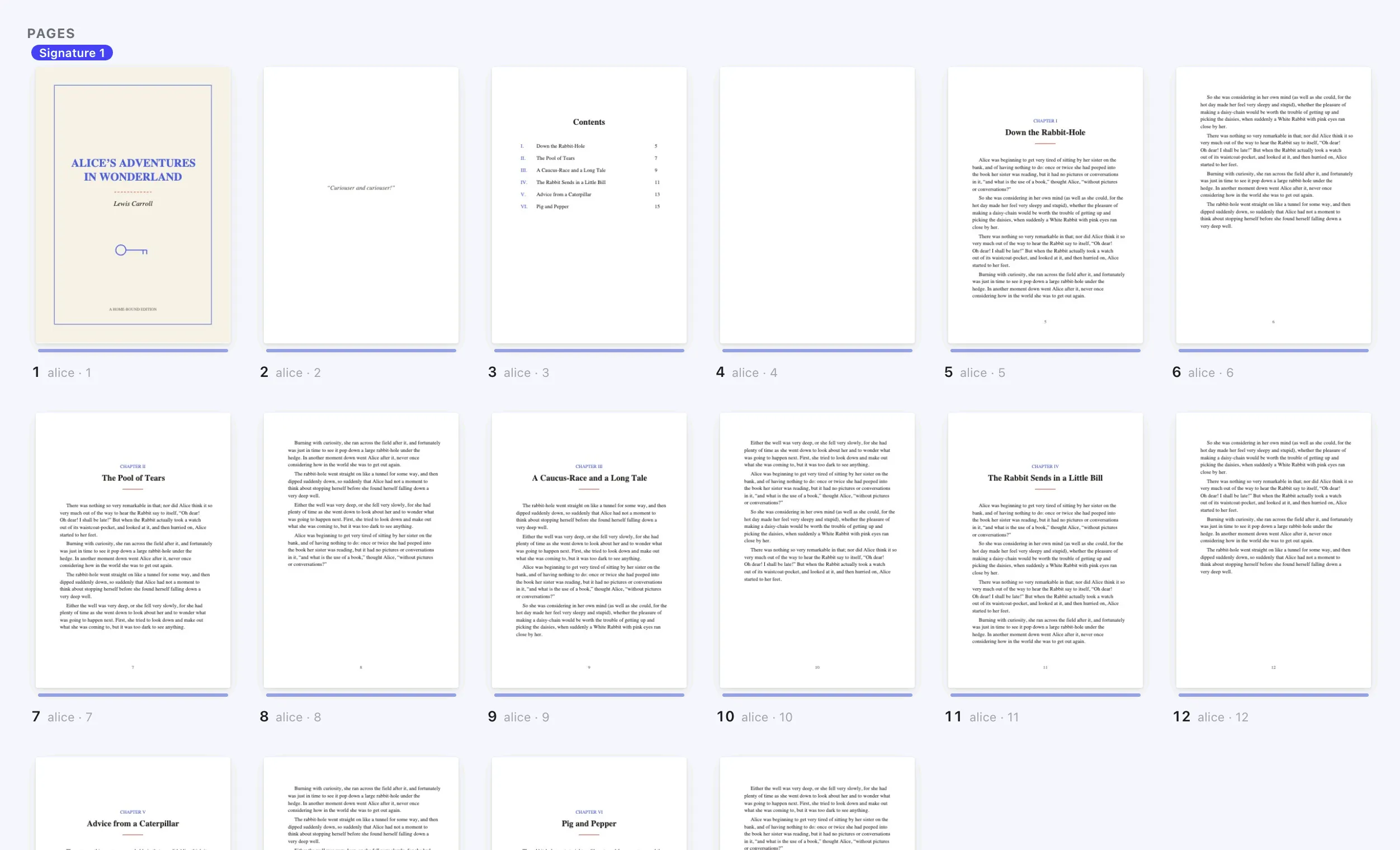
Open Foldio, select New book, add your PDF and choose Booklet or magazine.
Check every sheet
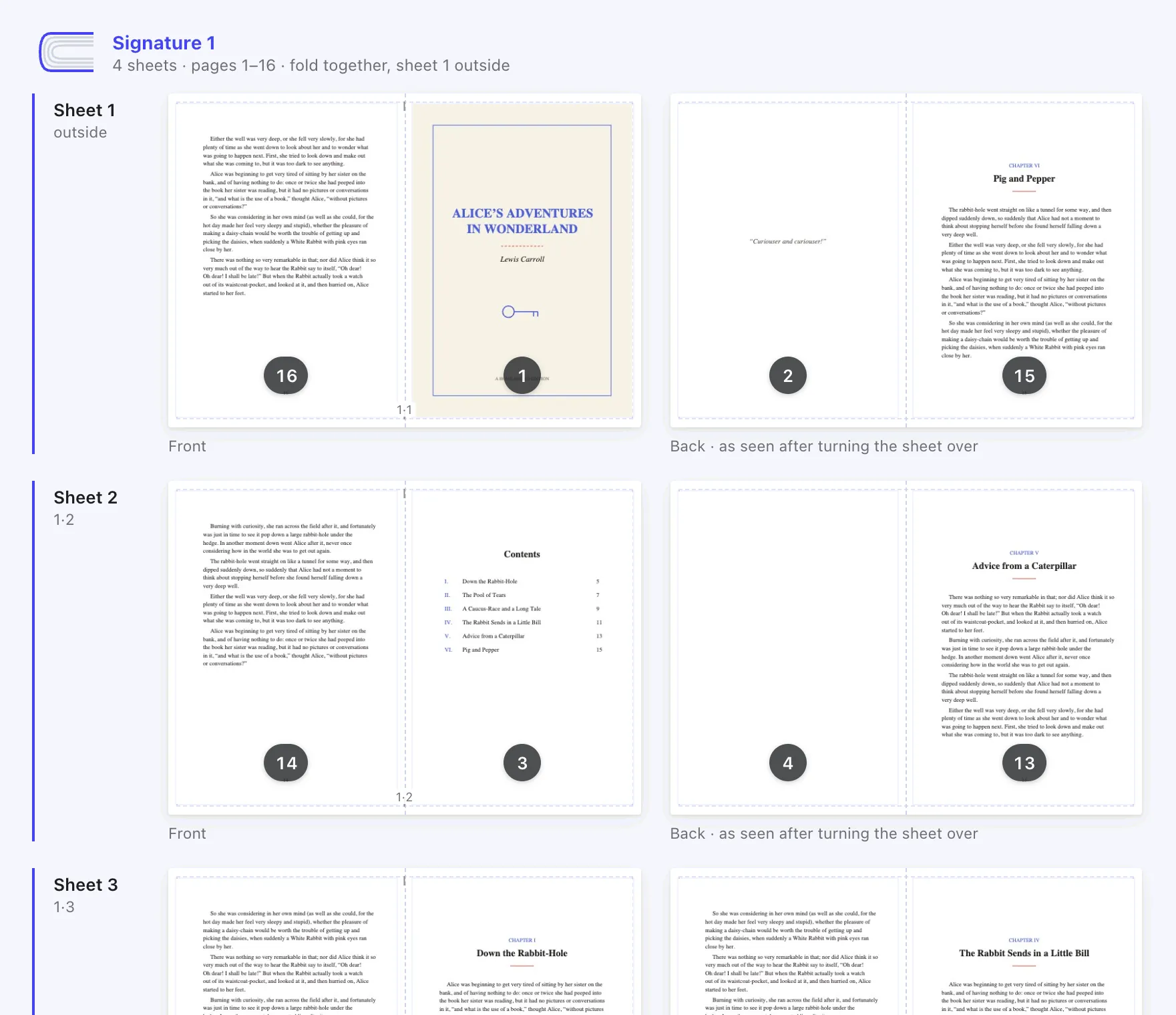
Foldio shows both sides of each sheet, so you can spot problems before printing. If you need to fix the text, change it in Word and save a new PDF.
Print, fold and staple
Print double-sided, flip on short edge, at 100%. Then fold the stack in half and staple along the fold.
Keep the sheets in order, crease the fold firmly, then staple along it.
If something goes wrong
- The text looks small
- Your document is probably set to A4. Change it to A5 in Word, then save a new PDF.
- Fonts look different
- Saving as a PDF normally keeps your fonts. Check the PDF before you add it to Foldio.
- Page numbers are wrong
- Page numbers come from your Word document. Fix them there, or add them in Foldio’s page editor.
Questions
People also ask.
How do I make a booklet in Word?
The simplest way is to save your document as a PDF, then arrange it in Foldio. Word’s own option is Book fold, under Page Setup.
How do I print a booklet in Word double-sided?
Save a PDF and print it from Foldio, with two-sided on, flip on short edge and scale at 100%.
How do I print an A5 booklet on A4 paper from Word?
Set your Word document to A5, save a PDF, then choose A4 paper in Foldio. It places two A5 pages on each side of the sheet.
Do I need a booklet template for Word?
No. Any Word document works, because Foldio handles the booklet format. A template only helps with the design.
Does this work with Word for Mac?
Yes. Use File, then Save As, and choose PDF as the file format.
Why are the pages out of order when I print from Word?
Printing “2 pages per sheet” keeps pages in reading order, so they’re jumbled once folded. Booklets need a special order.
Ready to print yours?
Foldio is free to start, with no sign-up, and your files stay on your computer.